
The right choice depends on what the employee needs to start work, not on which kit sounds more premium. By separating shared joining essentials from device-specific equipment, you can choose the correct bill of materials, assign technology responsibility, and plan reliable delivery across Pune.
Key takeaways
- Define the standard pack before adding employer-issued technology.
- Give laptop kits only to employees receiving company devices.
- Confirm laptop dimensions, ports, charger size, and protective fit.
- Compare quotes by total delivered cost, not unit price alone.
What belongs in a standard joining kit versus a laptop welcome kit?
Define the kit before requesting prices. A standard joining kit is the common employee pack; a laptop welcome kit adds a separately specified technology layer only when the employer provides equipment. This distinction keeps employee joining kits in Pune comparable across suppliers.
| Option | What it contains | When it applies |
|---|---|---|
| Standard joining kit | Welcome letter, HR and policy documents, joining-day schedule, access instructions, ID-card holder or lanyard, notebook, pen, stationery, desk items, and workplace guidance | Every employee who needs onboarding information and workplace essentials |
| Laptop welcome kit | The standard core pack, plus an employer-issued laptop or a statement that the employee supplies it, fitted sleeve, backpack compartment, charger space, mouse, headset, USB-C hub, HDMI adapter, power cable, and device handover record | Employees receiving company equipment on or before joining day |
The phrase new hire laptop kit is ambiguous: it can mean merchandise shipped beside a company laptop or a package that physically contains the laptop. State in the purchase order who handles the device, serial-number capture, asset tag, insurance, custody handoffs, and loss or damage at each stage.
Add the office address, reception process, parking or transport instructions, emergency contacts, and Wi-Fi or visitor-registration steps. For home delivery, record the complete address, PIN code, mobile number, locality, landmark, and receiving instructions.
Include power banks or wireless earbuds only after confirming lithium-battery transport classification, packaging, labels, required documents, and carrier acceptance. These items do not follow ordinary stationery-shipping rules.
Which employees need a laptop kit, and who should receive the standard version?
Use six decision points: role, work arrangement, laptop ownership, department, seniority, and joining location.
| Decision point | Laptop kit | Standard joining kit |
|---|---|---|
| Role | Engineers, analysts, designers, finance staff, and managers who need a computer on day one | Factory, warehouse, and site employees who do not need a laptop at joining |
| Work arrangement | Office-based, hybrid, or fully remote employees using employer equipment | Employees working mainly on-site without daily computer requirements |
| Laptop ownership | Employer-issued device, with handover and asset records | Employee-owned device or no device issued |
| Department | Technology, design, finance, and office operations | Production, facilities, warehouse, and field operations |
| Seniority | A higher-spec device or fewer branded items may apply | Use the same core pack unless the role requires another format |
| Joining location | Office arrival or home delivery with equipment planning | Site or office arrival with local access and shift information |
Hybrid employees need the same laptop kit when they work from home during the week. Add a home-use checklist covering power, Wi-Fi, workspace, and secure storage, then obtain delivery confirmation.
For fully remote employees, ship to the verified home address and replace office-only items with a power adapter, headset, webcam requirement, or ergonomic guidance. Sales and field teams need a lighter protective pack containing a compact charger, mouse, mobile hotspot policy, ID items, and travel-document space.
Employees using their own laptops need access instructions and security requirements, not an employer-device handover. Factory and site staff may need a standard joining kit with safety instructions, PPE allocation details, access cards, and shift information.
For corporate onboarding kits in Pune, record whether delivery is to Hinjawadi, Kharadi, Baner, Hadapsar, Pimpri-Chinchwad, or another office or home address. A laptop welcome kit or standard joining kit in Pune must match the destination’s access and receiving process.
What should each kit contain, and how do you verify device fit?
Use two bills of material: one fixed core list for every employee and one variable list for personalization and device fit.
| Kit type | Fixed core contents | Variable contents |
|---|---|---|
| Standard joining kit | Welcome letter, policies, access and password-reset instructions, HR contacts, joining agenda, ID-card holder or lanyard, notebook, pen, and desk essentials | Employee name, department, clothing size, dietary preference, delivery address, and joining date |
| Laptop welcome kit | The same core list, plus the technology layer | Laptop model, charger type, sleeve, backpack, mouse, headset case, hub or adapter, and handover record |
For a new hire laptop kit, record the laptop’s length, width, thickness, charger-brick dimensions, cable length, mouse size, headset-case size, and total weight. Compare them with the sleeve’s internal dimensions, backpack-compartment capacity, padding thickness, zipper clearance, and stated protection rating.
Do not pack around a retail laptop carton unless it has passed an agreed parcel test such as ISTA 3A. Attractive artwork does not prove drop or vibration protection.
Check whether a USB-C laptop needs a hub, whether the monitor uses HDMI or DisplayPort, and whether the charger needs a three-pin Indian plug. Before bulk production, approve a physical sample and packing checklist.
Test these acceptance points:
- Count accuracy, logo clear space, print colour, and QR readability
- Accessory compatibility, box dimensions, and gross weight
- Seal integrity and protection against transit damage
This discipline matters for laptop welcome kits in Pune, where a wrong size or incompatible charger can delay day-one readiness.
How should Pune fulfilment, storage, and last-mile delivery be planned?
“Pune” is not a delivery address. For employee joining kits in Pune, capture each recipient’s complete address, locality, PIN code, mobile number, landmark, and destination type: office, apartment, or gated campus.
Confirm receiving hours, security-desk rules, appointment requirements, and the person authorised to accept a laptop. Hinjawadi, Kharadi, Baner, Hadapsar, Pimpri-Chinchwad, and nearby areas need separate routes or dispatch waves for offices and homes; identical access assumptions create failed deliveries.
- Keep the employee record to the delivery fields, joining date, kit type, and authorised recipient.
- Use moisture-resistant outer packaging and sealed inner protection during the monsoon, particularly for paper documents, electronics, and fabric bags.
- Set a last-minute joiner cutoff, hold a small unpersonalised contingency stock, and assign owners for failed delivery, damage, and reshipment.
Choose a fulfilment model: assemble centrally, store blank core stock, or build kits at each site. Blank stock lets you add names or joining dates after schedules change, reducing obsolete inventory; it also adds finishing work and requires controlled personalisation data.
Separate artwork approval from employee-data approval so a correct design does not produce a wrong name or size. Transfer names, phone numbers, addresses, and employee identifiers through an access-controlled channel, never an open messaging group; delete or return the files under an agreed retention period.
For recurring corporate onboarding kits in Pune, document these controls in the dispatch plan before the first shipment.
How should you compare a supplier quote for the right kit?
Compare the complete operating scope, not the branded box alone. For a laptop welcome kit or standard joining kit in Pune, require separate one-time charges before transparent per-kit pricing.
| Quote line | Ask for | Why it matters |
|---|---|---|
| Artwork | Artwork fee and revision limit | Prevents design work from hiding in unit cost |
| Sampling | Physical sample fee and approval method | Exposes fit, finish, and packing errors |
| Tooling or moulds | One-time tooling or mould charge | Separates setup from repeat production |
| Setup | Personalisation, data, and packing setup cost | Makes fulfilment labour visible |
| Per-kit price | Price at 25 kits and 1,000 kits | Makes a pilot comparable with rollout pricing |
State who supplies the laptop, charger, mouse, headset, laptop bag, adapters, asset tag, insurance, and serial-number record. Assign loss or damage at every handoff: manufacturer, fulfilment warehouse, courier, employee, and IT team.
Write acceptance criteria into the purchase order:
- Count, dimensions, colour, QR destination, compatibility, gross weight, and seal integrity
- Transit damage, including who photographs it, reports it, and pays for replacement
Make each QR code point to an editable, company-controlled destination rather than a supplier-owned page. For food or cosmetics, verify the manufacturer label, batch number, expiry date, and required licence information; a branded sticker cannot replace statutory labelling.
Define recyclable or plastic-free by naming the board, insert, coating, adhesive, and disposal route. Ashcube can be evaluated for laptop welcome kits in Pune against device handling, personalisation controls, sampling, storage, and distribution—not just logo application.
Choose the standard joining kit for common essentials; choose the laptop kit when IT custody and device readiness form part of joining.
Related product
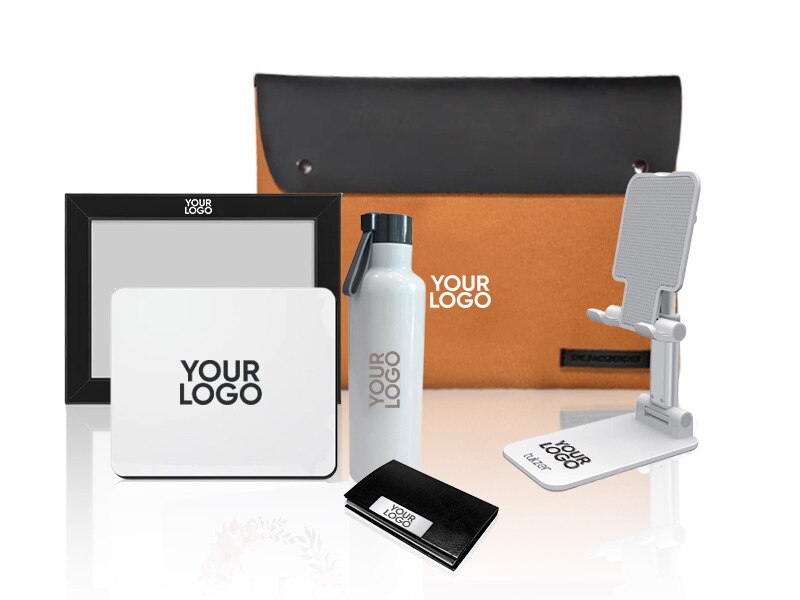 | Employee Welcome Kits Make every new employee feel valued with premium laptop welcome kits featuring branded backpacks, laptop sleeves, notebooks, drinkware, and office... View product → |
Frequently asked questions
What belongs in a standard joining kit versus a laptop welcome kit?
A standard joining kit contains common onboarding items such as an ID card, notebook, pen, employee information, apparel, and branded essentials. A laptop welcome kit adds a separately specified technology layer, including a laptop sleeve or bag, charger storage, cable organisation, and device-specific protection when the employer provides equipment.
Which employees should receive a laptop welcome kit?
Give a laptop welcome kit to employees receiving a company laptop or other employer-issued device. Provide the standard joining kit to employees using their own equipment, working without a laptop, or receiving technology through a separate IT handover.
How do you verify laptop fit before ordering a laptop welcome kit?
Collect the laptop model, length, width, thickness, screen size, charger dimensions, accessories, and port requirements. Compare those measurements with the internal dimensions of the sleeve, compartment, and cable pouch rather than relying on screen size alone.
How should Pune fulfilment, storage, and last-mile delivery be planned?
Set a delivery calendar around joining dates, reserve stock for confirmed hires, label kits by employee or batch, and separate fragile technology items from general merchandise. Confirm delivery locations, receiving hours, packaging, proof of delivery, and a replacement process for damaged or missing kits.
How should you compare a supplier quote for the right kit?
Compare item specifications, branding method, quantities, sampling, assembly, storage, taxes, transport, delivery locations, lead time, replacement terms, and payment conditions. Request separate prices for the standard kit, laptop layer, packing, and last-mile delivery so the total cost is transparent.
Keywords